Basic Dynamic Analysis
Basic Dynamic Analysis Report
This report is based on my hands-on analysis of a malware sample, following my previous static analysis.
In this phase, I wanted to see what the malware actually does when executed, rather than just looking at strings or API calls.
1. Objectives
For this dynamic analysis, I focused on:
- Confirming the indicators I found during static analysis
- Observing network communications made by the malware
- Identifying any files it creates or deletes on the host
- Understanding the sequence of process execution
- Checking for any anti-analysis behavior
2. What I Found in Static Analysis
Before running the sample, I had already pulled some important indicators:
Strings
1
2
3
4
cmd.exe /C ping 1.1.1.1 -n 1 -w 3000 > Nul & Del /f /q "%s"
http://ssl-6582datamanager.helpdeskbros.local/favicon.ico
C:\Users\Public\Documents\CR433101.dat.exe
Mozilla/5.0
APIs
URLDownloadToFileWInternetOpenUrlWInternetOpenWCreateProcessWShellExecuteW
From this, I suspected that the malware would download a file, run it, and potentially delete itself under certain conditions.
3. Tools and Environment
I set up a controlled lab for analysis:
- Wireshark to monitor network traffic
- Procmon (Process Monitor) to watch file system and process activity
This setup allowed me to see exactly what the malware was doing without risking my main system.
4. Network Analysis
I noticed the URL in static analysis:
1
http://ssl-6582datamanager.helpdeskbros.local/favicon.ico
I used Wireshark to check if the malware actually tried to access it. My filter was:
1
http.request.full_uri contains favicon.ico
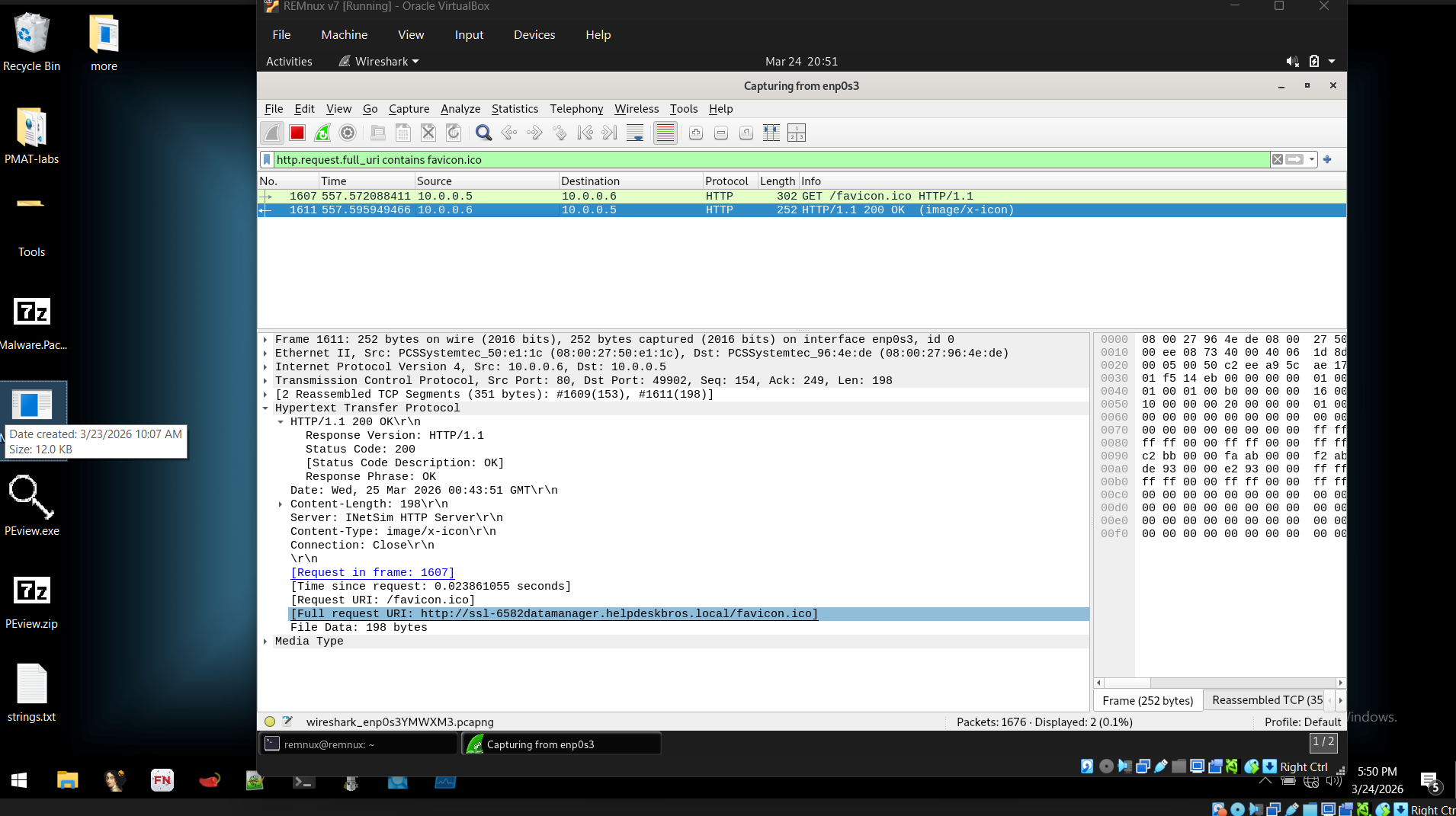
The malware made an HTTP GET request to the domain, and the User-Agent matched what I had in the strings (Mozilla/4.0).

Observation: This confirmed that the URL in the static analysis was actively used, not just embedded in the binary.
5. Host-Based Analysis
5.1 File System Behavior
I opened Procmon and filtered on the malware process:
1
Process Name is Malware.Unknown.exe
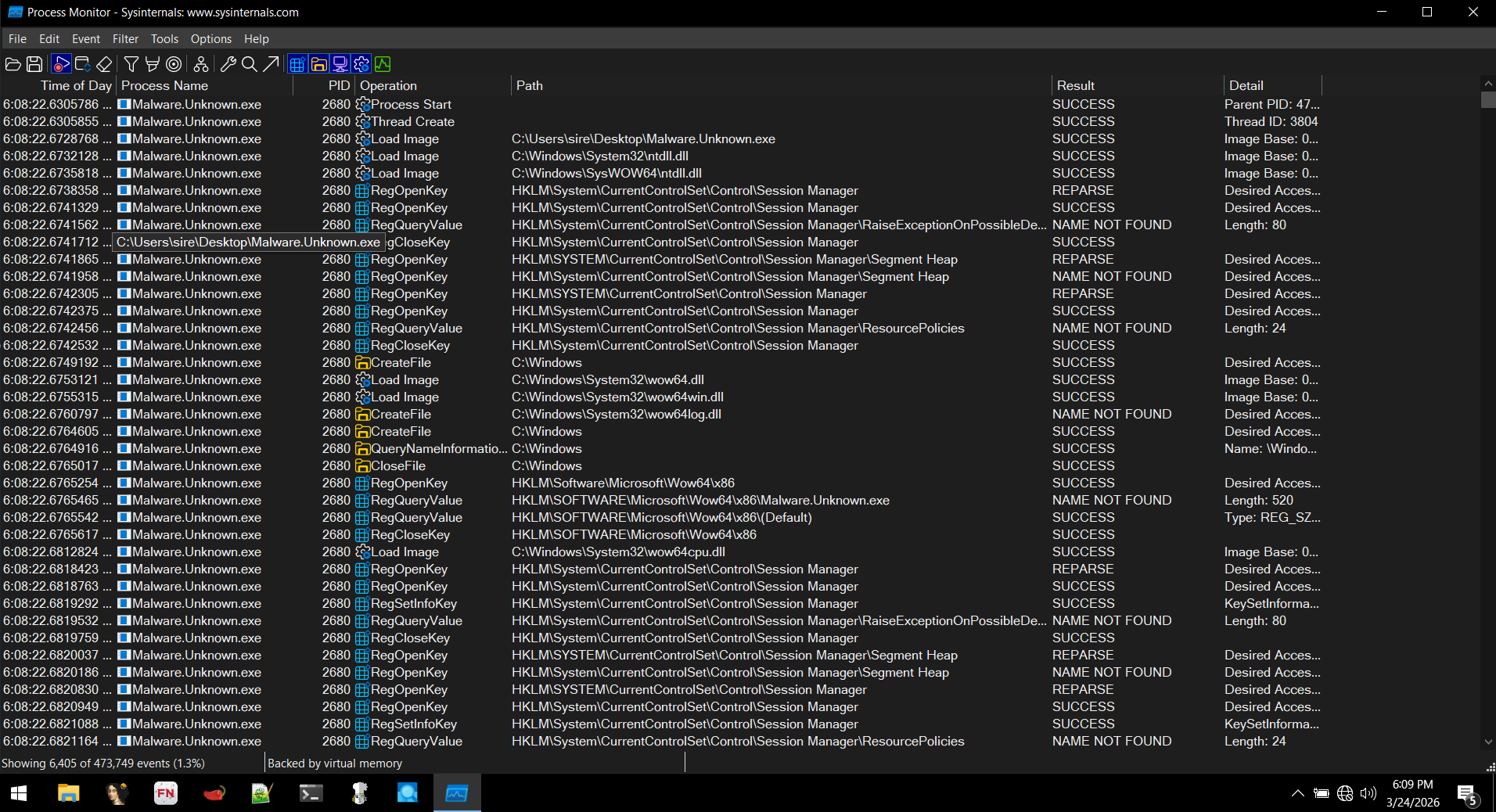
I focused on file operations and saw:
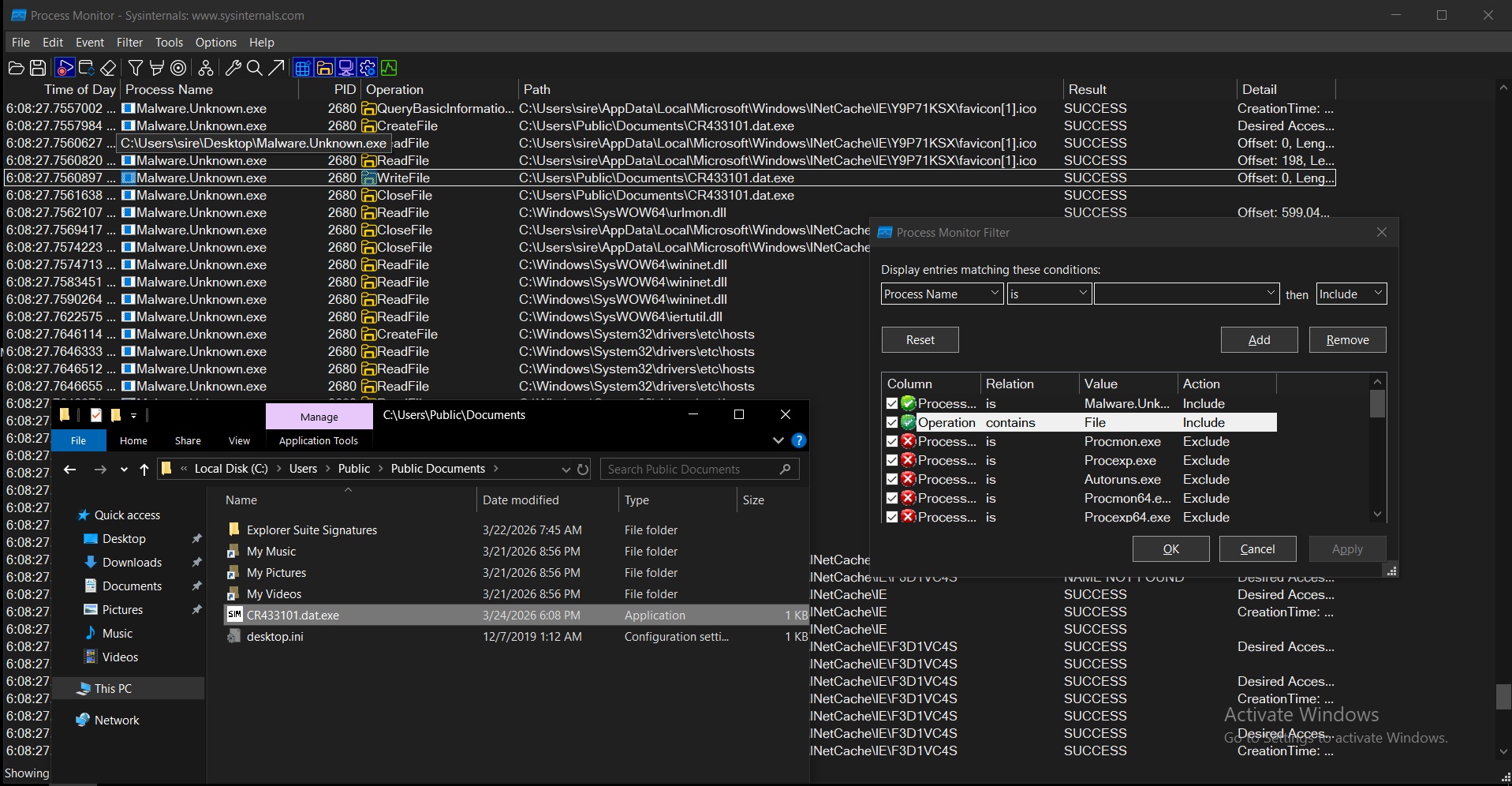 The malware created:
1
C:\Users\Public\Documents\CR433101.dat.exe
This matched the path I had already seen during static analysis.
5.2 Command Execution & Self-Deletion
I also noticed a command string in static analysis:
1
cmd.exe /C ping 1.1.1.1 -n 1 -w 3000 > Nul & Del /f /q "%s"
I watched Procmon for that command and saw:
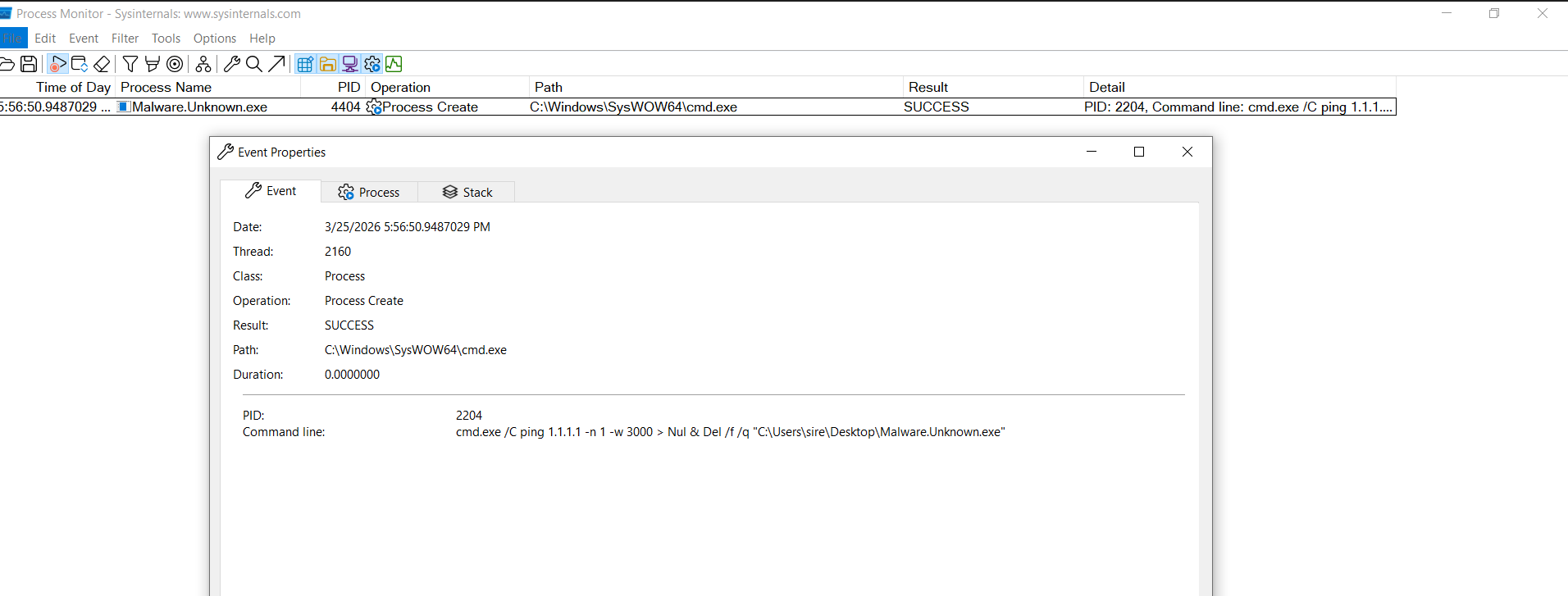
Observation: The malware runs cmd.exe to ping 1.1.1.1, and if the ping fails, it deletes itself. I realized this is a simple anti-analysis mechanism: if the environment isn’t “normal” (like a sandbox), the malware self-deletes.
6. Execution Flow (Based on My Observations)
From running the sample, I mapped the execution logic:
If the URL is reachable:
- Connects to the remote server
- Downloads
favicon.ico - Saves it as
CR433101.dat.exe - Executes the downloaded file
If the URL is not reachable:
- Performs a ping check to
1.1.1.1 - Deletes the original binary
- Stops execution
7. Indicators of Compromise (IOCs)
Network
http://ssl-6582datamanager.helpdeskbros.local/favicon.ico
Host
C:\Users\Public\Documents\CR433101.dat.exe- Command:
cmd.exe /C ping 1.1.1.1 -n 1 -w 3000 > Nul & Del /f /q "%s"
8. MITRE ATT&CK Mapping (Based on What I Observed)
| Tactic | Technique | ID | Evidence |
|---|---|---|---|
| Execution | Command and Scripting Interpreter (Windows Command Shell) | T1059.003 | I saw cmd.exe executing ping and deletion commands |
| Defense Evasion | Indicator Removal on Host | T1070.004 | Malware deletes itself if ping fails |
| Defense Evasion | System Checks | T1497 | Ping check used to determine environment |
| Command and Control | Application Layer Protocol: Web Protocols | T1071.001 | HTTP request to remote domain |
| Command and Control | Ingress Tool Transfer | T1105 | Download of payload (favicon.ico) |
| Execution | User Execution (Indirect) | T1204 | Execution of the downloaded payload |
| Execution / Persistence | Create Process | T1106 | Use of CreateProcessW API |
9. Conclusion
By running the malware , I confirmed:
- The network indicators from static analysis are real and active
- The malware downloads a payload and writes it to disk
- It uses a simple anti-analysis mechanism (self-deletion)
- Observed behavior matches what I expected from the static indicators
This step helped me connect the dots between static clues and actual runtime behavior.
10. Next Steps (My Plan)
- Start debugging the payload with x64dbg to trace its execution in detail
- Analyze the dropped file
CR433101.dat.exe - Expand my lab with INetSim and sandboxing to test more evasion techniques